Last Updated: October 1, 2026
Last Updated: October 1, 2026





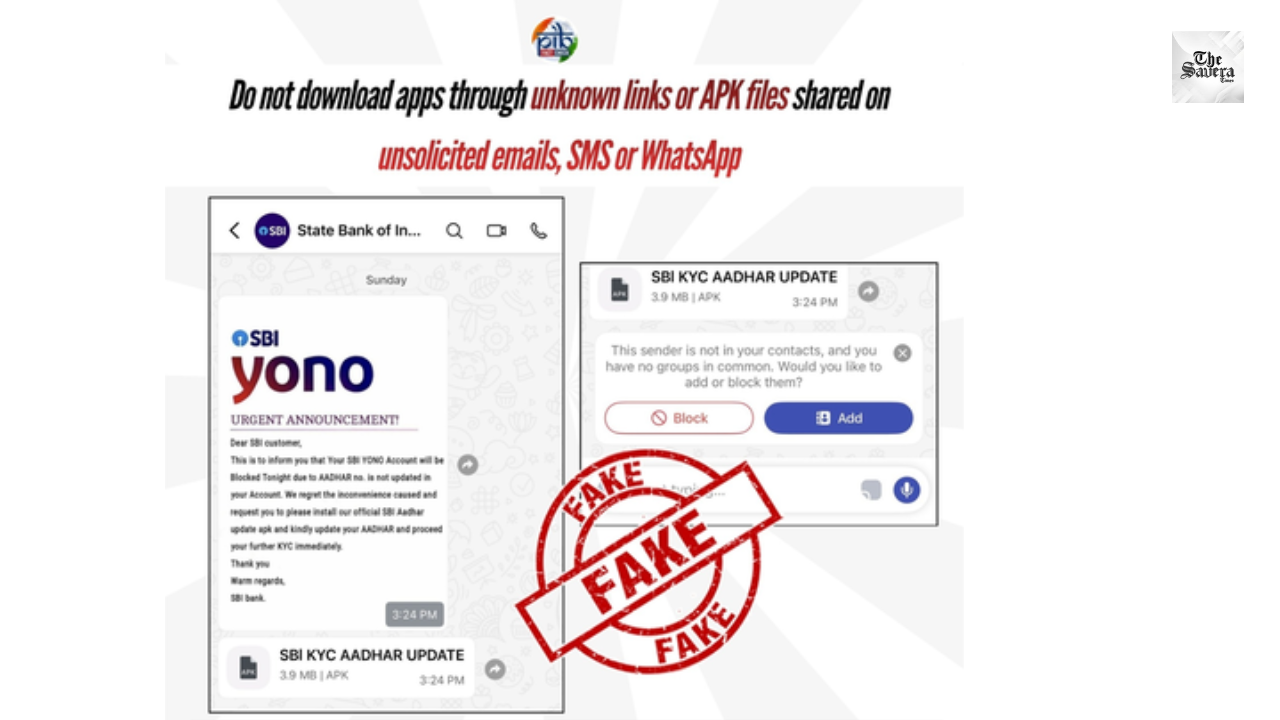
The Press Information Bureau (PIB) has issued an alert warning customers of a fraudulent message circulating online that falsely urges users of the State Bank of India YONO app to update their Aadhaar details immediately or face having their mobile banking application blocked. The government agency’s fact check unit has categorically stated that the message is fake and part of a phishing scam designed to trick users into sharing sensitive personal information.
The fake message claims that unless Aadhaar details are updated by downloading an Android application (APK) link provided within the message, the user’s access to the YONO app will be disabled. Authorities stressed that SBI does not communicate such instructions via unofficial messages or require users to download external APK files.
Scammers often use deceptive notifications that mimic official communications to create a sense of urgency, prompting unsuspecting users to act quickly without verifying authenticity. In this case, the phishing message pushes the idea that the YONO app will be blocked unless Aadhaar is updated through a link shared in the message. Users who click the link may be directed to download a malicious app (“APK”) that can collect banking login credentials, Aadhaar numbers, One‑Time Passwords (OTPs) and other sensitive data.
Once installed, such fraudulent apps can potentially compromise a user’s mobile device, leading to unauthorised access to banking information and financial loss. Such scams can spread rapidly via WhatsApp, SMS, email or social media platforms if not reported and flagged quickly. Security experts consider this a classic example of a phishing attack, where attackers impersonate trusted entities to trick individuals into sharing private data.
Both the federal authorities and the bank have emphasised that official communications about account matters or Aadhaar requirements are issued only through authenticated channels such as the verified YONO app store pages, official SBI website, SMS headers like SBIINB or SBIPSG, or verified SBI social media accounts. The bank has repeatedly urged customers to avoid clicking unknown links or downloading unverified applications claiming to be affiliated with SBI.
The bank also clarified that Aadhaar linking or updating does not require downloading external apps, and such updates, when required, are done through the official YONO app or in‑branch procedures. Users should always check for official app updates through Google Play Store or Apple App Store rather than third‑party sources.
To protect against this and similar scams, users should follow these safety practices:
If users have clicked on the fraudulent link or downloaded an unknown app:
These steps can help mitigate potential damage if personal information was exposed.
Rahul Gandhi met Baiga tribal families in Balaghat after child deaths and raised concerns over healthcare, malnutrition, compensation,...

Jharkhand High Court imposed a ₹10,000 fine on Hemant Soren’s side after more time was sought to file...

Petroleum Minister Hardeep Singh Puri launched National PNG Drive 3.0, targeting 50 lakh new domestic PNG connections and...

New Delhi: The Food Safety and Standards Authority of India (FSSAI) on Thursday suspended the licences of TCF...

The Savera Afternoon Bulletin brings you the top India and world news updates, covering major national, international, sports...

Mumbai: The domestic equity market closed sharply lower on Thursday, extending losses for the fourth consecutive trading session...

Aries: The day will be auspicious...